DAW Link
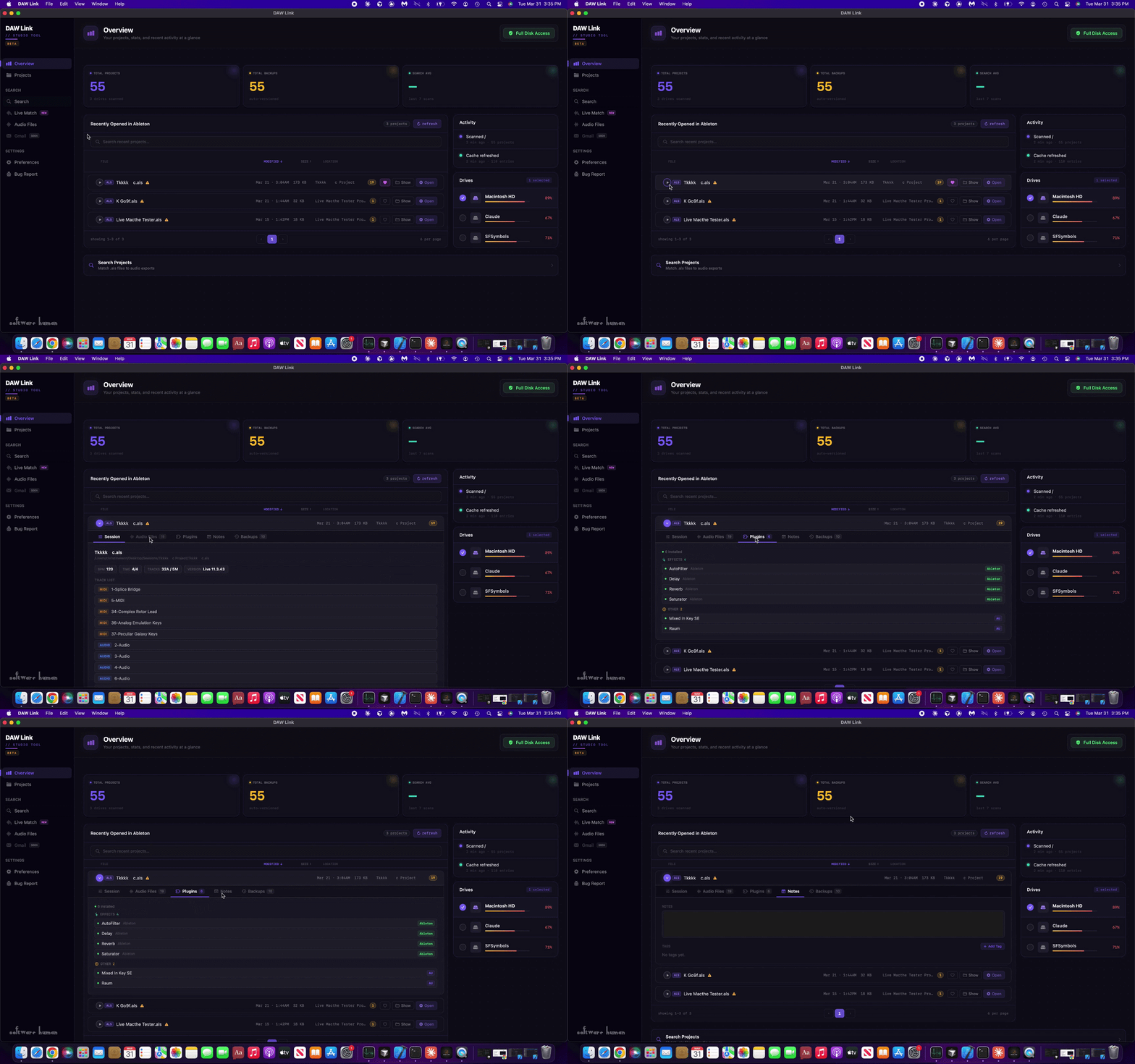
Manage Recent Ableton Projects
DAWLink shows you your recently opened Ableton Live projects —including tracks, plugins, and key session data.
• View tracks and plugins,
• Add tags and notes to organize your work
• Identify missing files and run Collect All and Save
• Generate session reports for every project
Live Match Audio
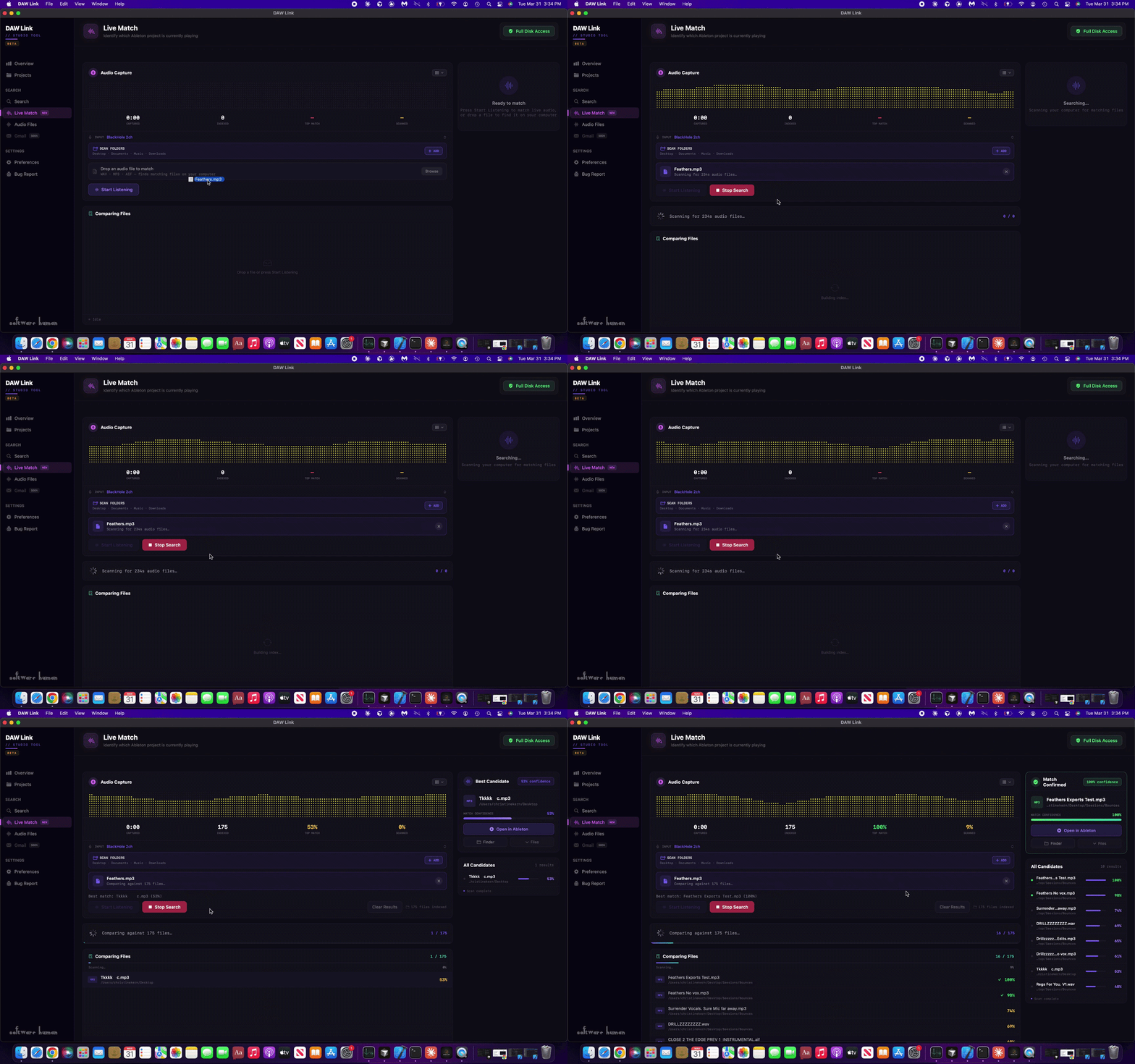
Live Match identifies what you’re hearing and where it came from.
• Capture audio directly from your system
• Match playing audio to its original Ableton project
• Drop in audio files to find their source session
• Scan your drives and compare in real time
• Reconnect ideas, references, and lost exports instantly
Collect All and Save
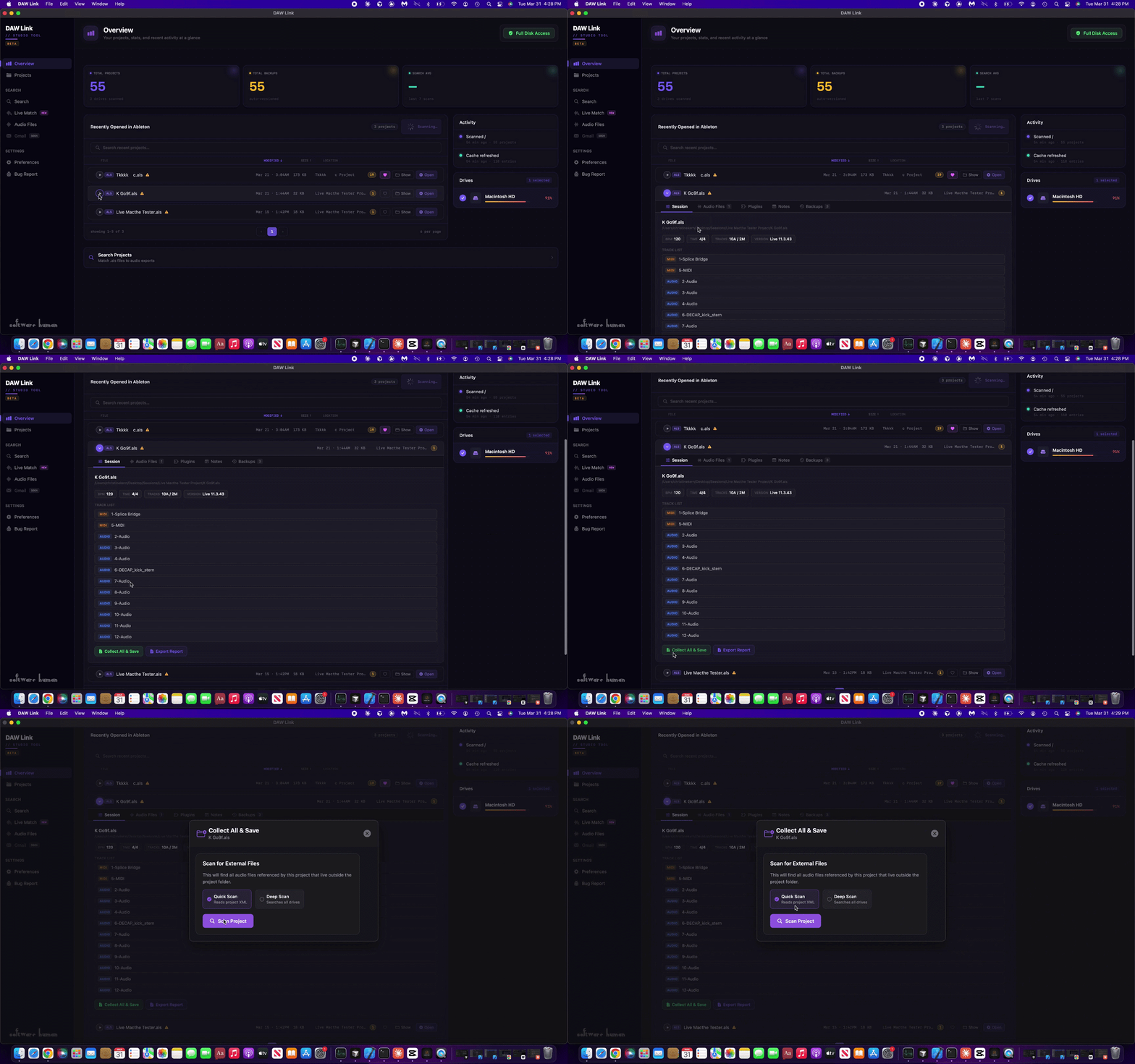
Collect All and Save without Ableton Open
• Identify missing audio files tied to your project
• Locate files across drives and folders
• Reconnect media before running Collect All and Save
• Ensure every file is properly included in your session
• Prevent broken references and missing media
Manage Audio FIles
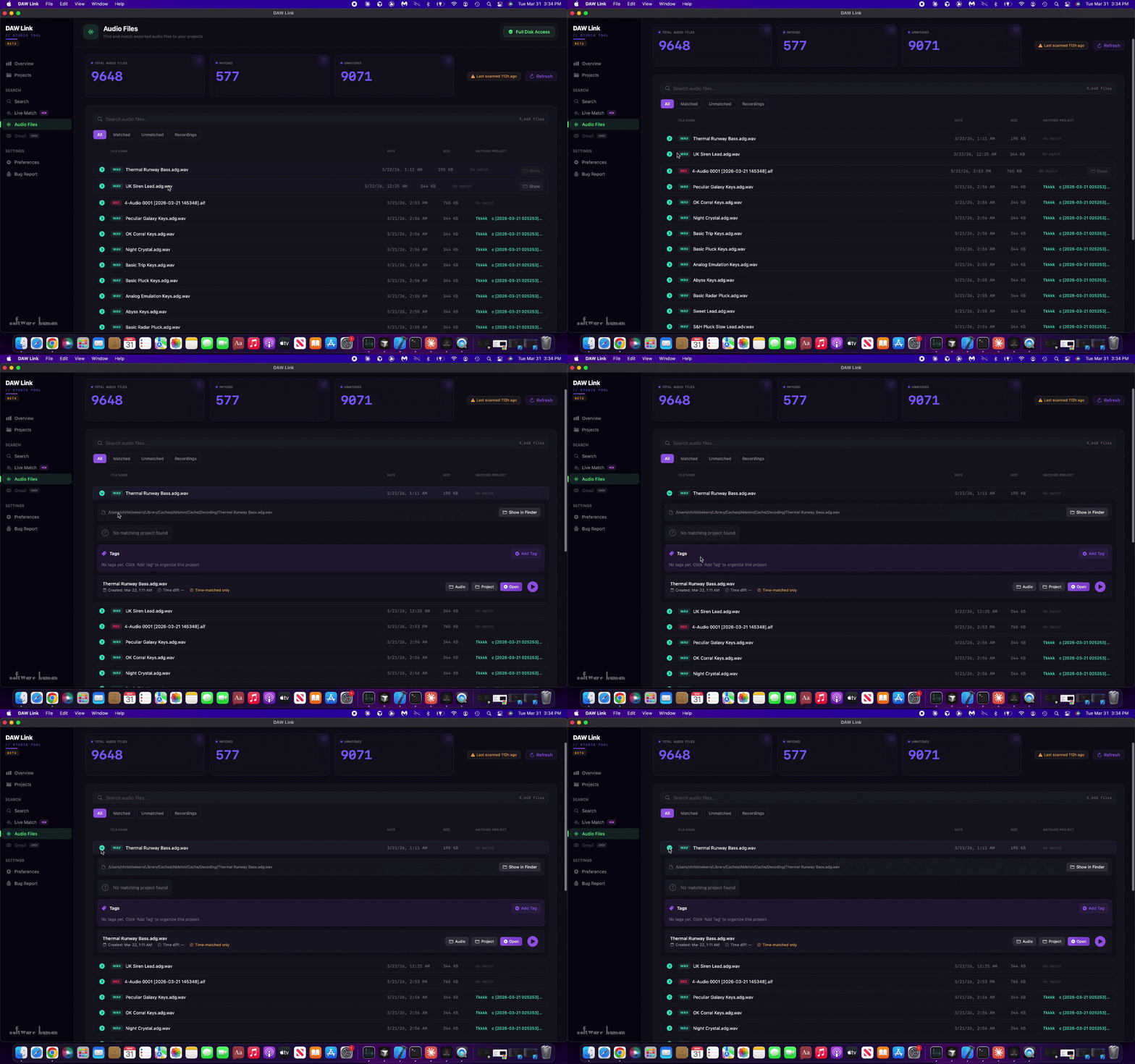
See your audio and where it belongs.
• Scan and view audio files across your drives
• Match files to their original Ableton projects
• Identify unused, missing, or duplicate audio
• Understand file context without opening sessions
• Quickly locate and relink files when needed
Manage All Your Live Sets
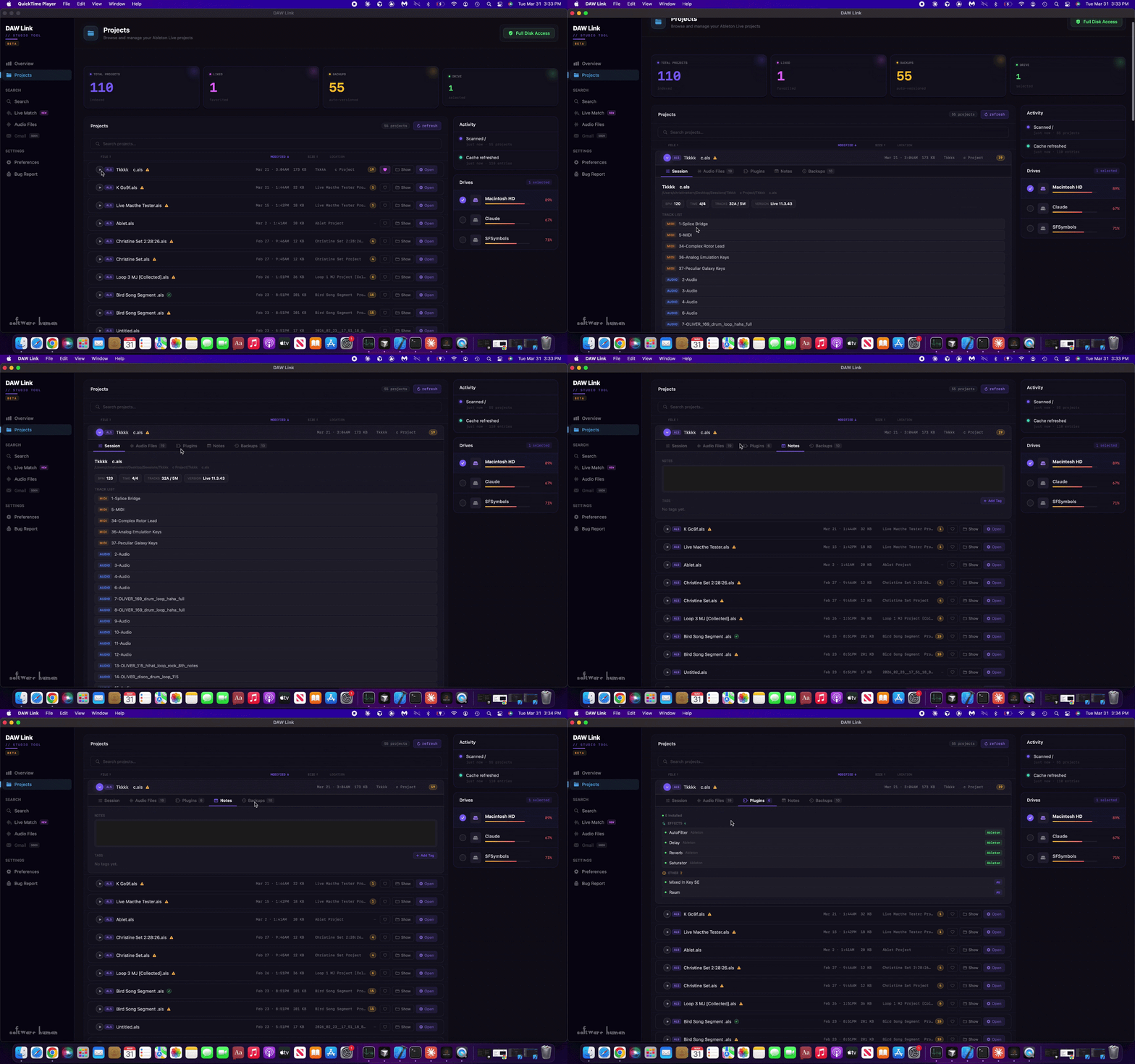
All your sessions, in one place.
• Browse Ableton Live projects across all drives
• See project locations, dates, and file status
• Identify missing files without opening sessions
• Understand project structure at a glance
• Quickly access and manage your sessions
Search By File Or Date
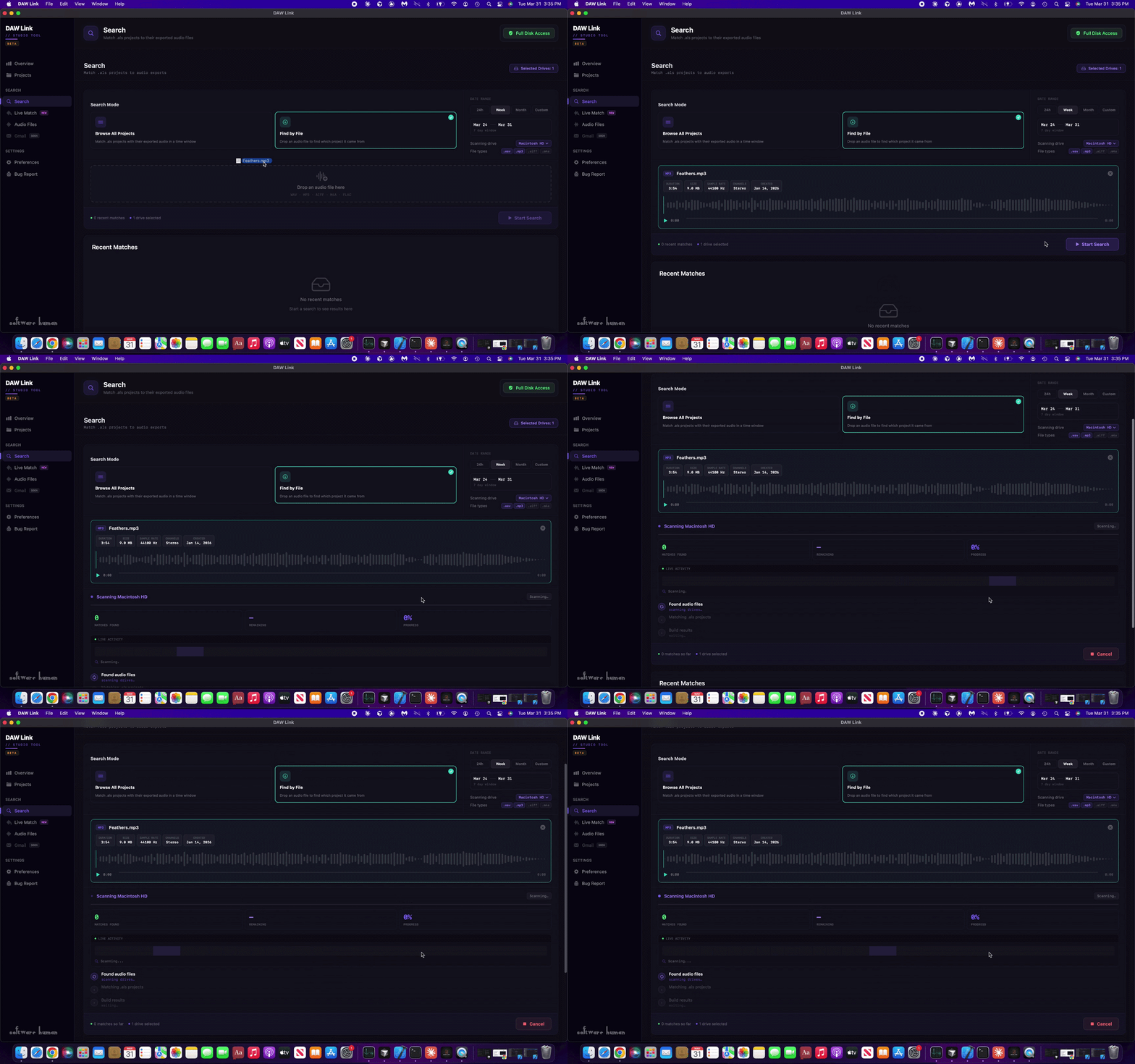
Find files and where they came from.
• Search audio files across all connected drives
• Drop in a file to locate its original project
• Match exports, bounces, and loose files to sessions
• Quickly surface results with clear context
• Reconnect files without digging through folders
System Requirements
Operating System
macOS 12 Monterey or later
Hardware
Intel or Apple Silicon Mac
4 GB RAM minimum (8 GB recommended)
Storage
10.4mb
Additional space required for scanned drives
DAW Support
Ableton Live projects (.als)
Permissions
Full Disk Access required to scan drives and locate audio files